

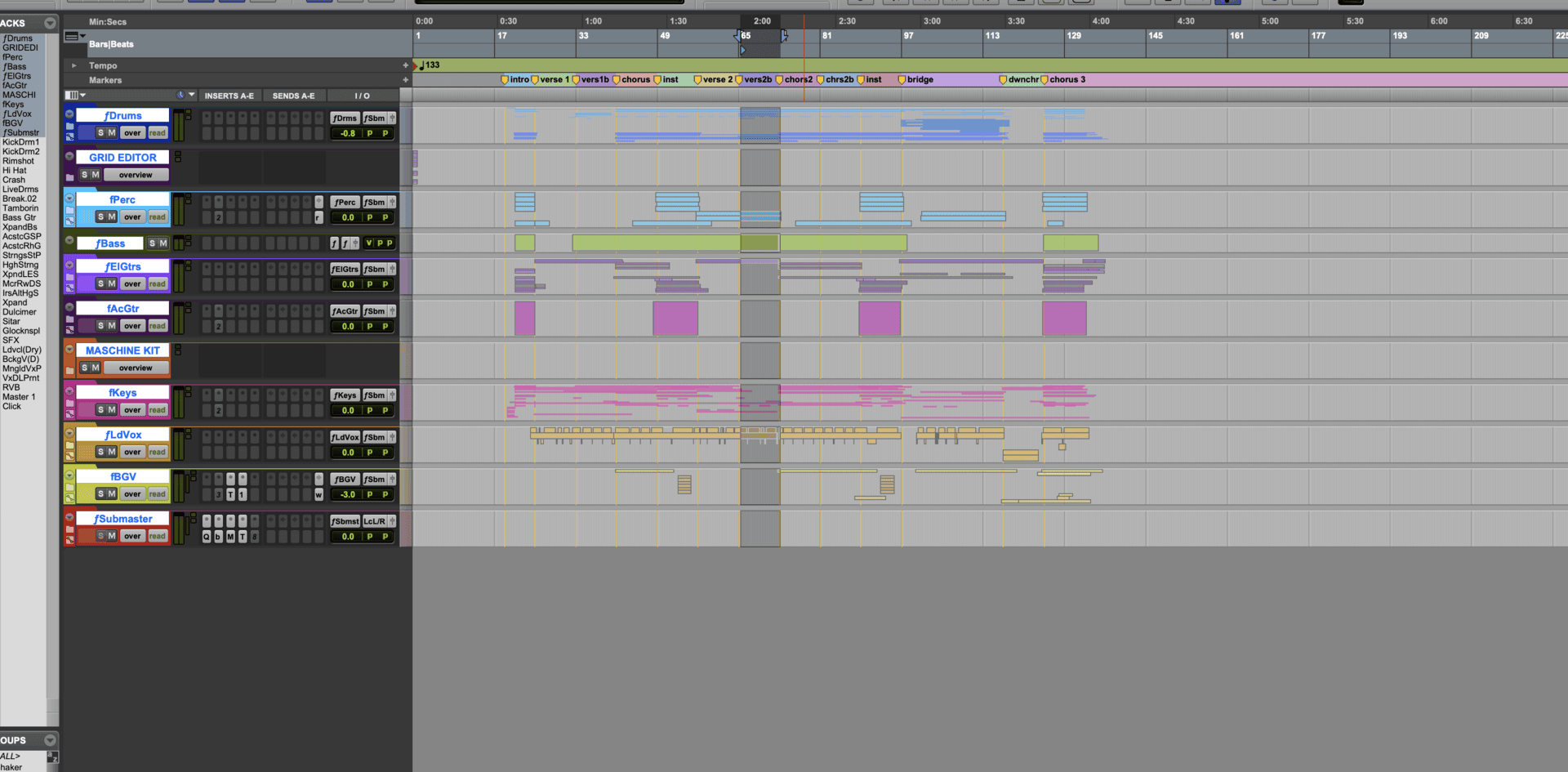
With the release of Pro Tools 2020, Avid introduces Folder Tracks; a fundamentally new way to manage and work with your sessions, Folder Tracks bring with them a host of features from editing to routing.
Earlier this year Avid gave a preview of one of the most requested features for Pro Tools, Folder Tracks. With the release of Pro Tools 2020.3, Folder Tracks are now available to help you with workflow, routing, editing, and arranging your sessions. With two options available, Basic Folder and Routing Folder, this new feature presents a wealth of new possibilities. Let's take a look at what you can do with Folder Tracks. Make sure to watch the videos in this article to see all these new possibilities in action.
Folder Track Types
Basic Folder: Used for track management, as well as editing function
Routing Folder: Combine the capabilities of a Basic Folder along with audio routing options, and plug-in and send capabilities, very similar to how an Aux Track works.

You can see the two types of Folder Tracks in the image above. Notice how Routing Folders have Inserts, Sends, and I/O capabilities, in both the Edit and Mix windows.
Once you have Folder Tracks, you can open and close the folder to access the individual tracks. This can be done by clicking on the folder icon on the left-side of the track name, or you can use the arrows in the Track List.
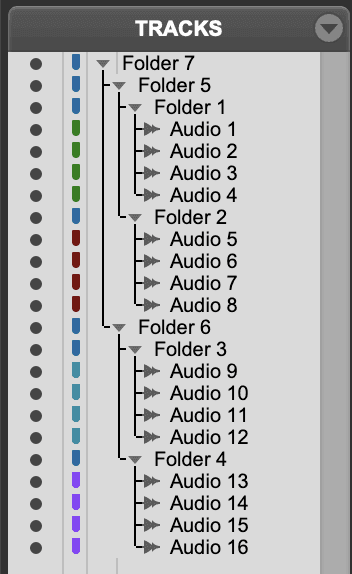
You can also use a new keyboard shortcut: Shift + F will open/close the Track Folder
Editing and Arranging
One of the most useful new features of Folder Tracks is the ability to Edit and Arrange Audio/MIDI in the timeline. It acts much the same way that a clip group does, in that it allows you to edit, copy, cut, paste, move, etc... all the tracks in the Folder at once. You can even Duplicate an existing Folder Track and it will duplicate every track in the folder. You can use this for vocals, drums, music, even the entire mix.
This is just a small sample of the capabilities of Folder Tracks. As you start using these in your sessions, you will discover new and exciting way to utilize this great feature. In the coming weeks we will have more content and videos showing you how easy it is to use Folder Tracks for Music and Post Production.
Mihai Boloni
Avid Certified Expert Pro Tools Instructor